Installation
Single static binary. ~8 MB. No runtime dependencies.
Quick install (Linux, macOS)
The install script detects your platform, fetches the latest release, verifies the BLAKE3 signature against our public key, and drops the binary into /usr/local/bin (or ~/.local/bin if you don't have write access).
$ curl -fsSL https://frostvex.icu/install.sh | sh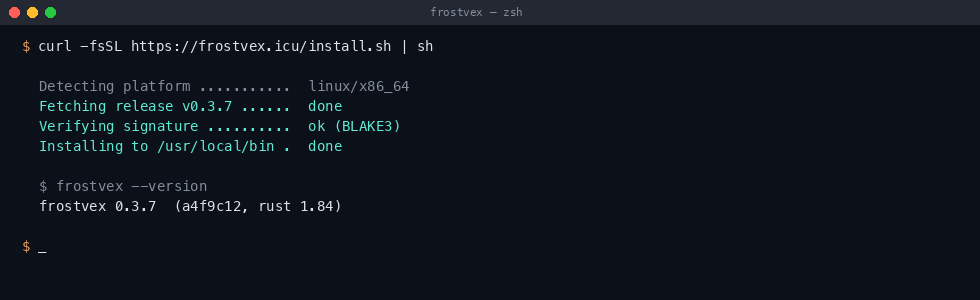
If you'd rather inspect the script before piping it into a shell — read it here first. It's ~80 lines.
Pre-built binaries
If you don't want the script, grab the right archive for your platform from the release listing. Each archive contains the binary, an Apache-2.0 license file, and a BLAKE3SUMS manifest signed with the project key.
| Platform | Archive | Size |
|---|---|---|
| linux-x86_64 | frostvex-0.3.7-linux-x86_64.tar.gz | 3.1 MB |
| linux-aarch64 | frostvex-0.3.7-linux-aarch64.tar.gz | 2.9 MB |
| darwin-aarch64 | frostvex-0.3.7-darwin-aarch64.tar.gz | 3.2 MB |
| darwin-x86_64 | frostvex-0.3.7-darwin-x86_64.tar.gz | 3.4 MB |
| windows-x86_64 | frostvex-0.3.7-windows-x86_64.zip | 3.6 MB |
SHA-256 sums and BLAKE3 signatures are also in /releases/v0.3.7/SHA256SUMS.
Windows
Unzip the archive and drop frostvex.exe somewhere on your PATH. PowerShell or cmd both work. Symlinks under WSL behave the same as on Linux. We test against Windows 10 22H2 and Windows 11.
Build from source
You need Rust 1.79 or newer. We pin the toolchain in rust-toolchain.toml; rustup picks it up automatically.
$ git clone https://frostvex.icu/git/frostvex
$ cd frostvex
$ cargo build --release
$ ./target/release/frostvex --version
frostvex 0.3.7  (a4f9c12, rust 1.84)
The release build with LTO enabled takes ~2 min on a 2023 laptop. If you only want to hack on it, cargo build (debug) finishes in 8 seconds and is fast enough for the test suite.
Verifying integrity
$ b3sum -c BLAKE3SUMS
frostvex: OK

$ sha256sum -c SHA256SUMS
frostvex-0.3.7-linux-x86_64.tar.gz: OK
The project public key — used to sign the BLAKE3 manifest — is at /keys/release.asc (fingerprint 5C0F 8A1A 3D6E 7B4F …). Keep a copy of it locally; we rotate annually.
Uninstall
Remove the binary, the cache, and the config directory:
$ rm /usr/local/bin/frostvex            # or wherever you installed it
$ rm -rf ~/.cache/frostvex
$ rm -rf ~/.config/frostvex             # keys, peer list, default config
Pools themselves (the .frostvex/ directory inside each managed folder) are independent — leaving them alone won't break anything; deleting them is a no-op for any non-frostvex tool.
Next: Quickstart →