Quickstart
5 minutes — init, sync, pull, verify.
This walks you through the everyday flow on a small directory of photos. You'll need frostvex installed on at least two boxes — a laptop and a server, or two servers, doesn't matter.
1. Initialize a pool
Pick a directory you want to keep in sync. We'll use ./photos:
$ cd ~/holiday
$ frostvex init ./photos
That writes a .frostvex/ subdirectory next to your files. It contains the manifest, a content-addressed chunk store, and a per-pool keypair. Nothing leaves the box yet.
The init walks the tree once and produces a stable pool id — an 18-character handle that's a stable identifier across renames. Save it; you'll see it in stat output and you'll need it to share with peers.
2. Push to a remote
The remote can be addressed by SSH-style host:path or as a URL. Both work — pick what's easier:
$ frostvex sync ./photos --to backup-srv:/srv/photos/
# or equivalently:
$ frostvex sync ./photos --to fvex://backup-srv/srv/photos/
You should see something like this:
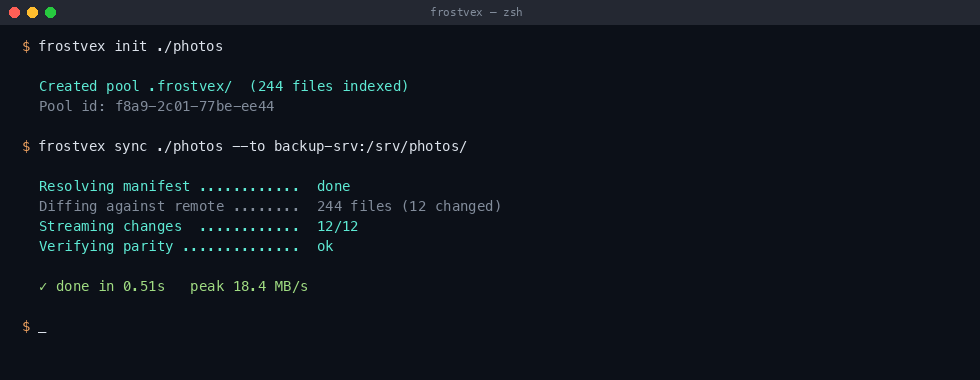
The first sync is more expensive than subsequent ones — frostvex has to ship a manifest and the chunk store. After that, only deltas move. On a typical photo library, steady-state sync is dominated by manifest hashing, not network.
3. Inspect
The stat subcommand is your first stop when something looks off:
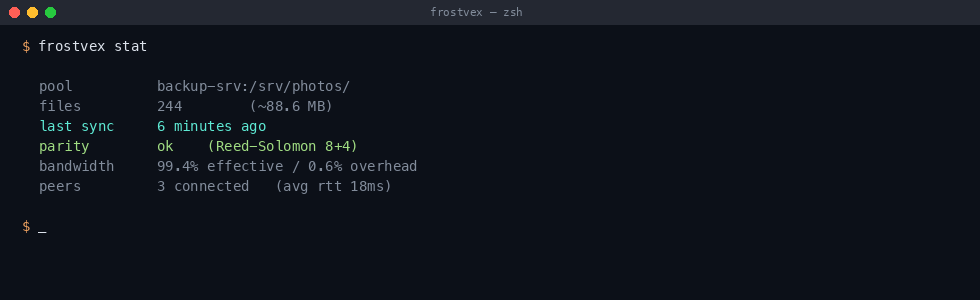
What each line means:
parity— the most recent strict verification result.okmeans every chunk passed BLAKE3 + Reed-Solomon. If this saysstale, runfrostvex verify.bandwidth— effective throughput as a fraction of total bytes shipped. The remainder is manifest gossip, parity blocks, and protocol overhead. 99%+ is normal after the first sync.peers— anyone with a copy of the same pool id. They appear automatically if they're on the same LAN with mDNS enabled, or if you've sharedpeer.tomlwith them.
4. Pull from a peer
If you want the reverse direction — say, copy from your laptop down to a backup server — use pull:
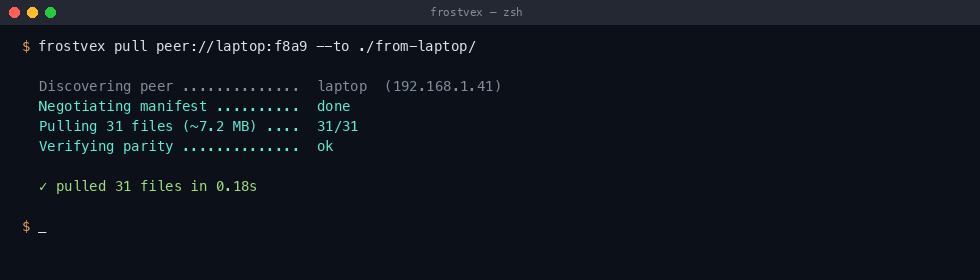
The peer:// scheme uses the local discovery service. If the peer is across the internet, you'll want a stable hostname or IP — see peers in the config docs.
5. Verify
Strict verify reads every chunk, recomputes the BLAKE3 hash, and cross-checks against the parity blocks. Slow but worth it — most "silent" corruption shows up here.
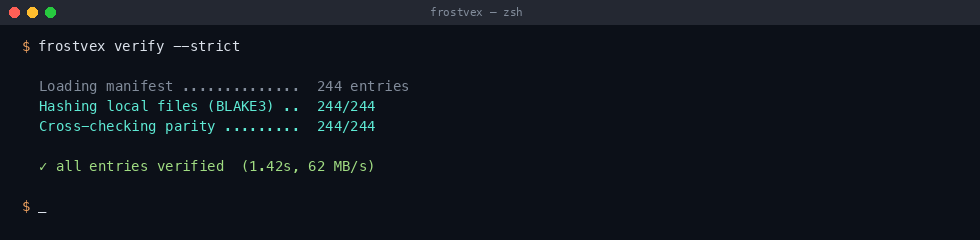
You probably want this in cron. Once a week is overkill for most people; once a month is fine.
What's next
- Configuration — every knob, including parity tuning, peer discovery, and bandwidth caps.
- CLI reference — all subcommands and flags.
- Why I rewrote the merge engine in Rust — if you're curious how the manifest stays consistent without a global lock.
.frostvex/quarantine/ first. You can clean those up with frostvex prune when you're confident, or set auto_prune = true in frostvex.toml.